





- Versatile Integration Modes: Supports 4 flexible options: PayWay API, PayWay Net, PayWay Trusted Frame, and PayWay Credit Card Batch to fit your security and UX requirements.
- Seamless On-site Experience: Use Trusted Frame or API to keep customers on your site during checkout while minimizing PCI DSS scope.
- Bank-Level Security: Fully supports 3D Secure and Westpac's secure hosted pages to protect your business from fraudulent transactions.
- Optimized for Australian Business: Designed specifically for merchants using Westpac, supporting AUD transactions and local banking protocols.
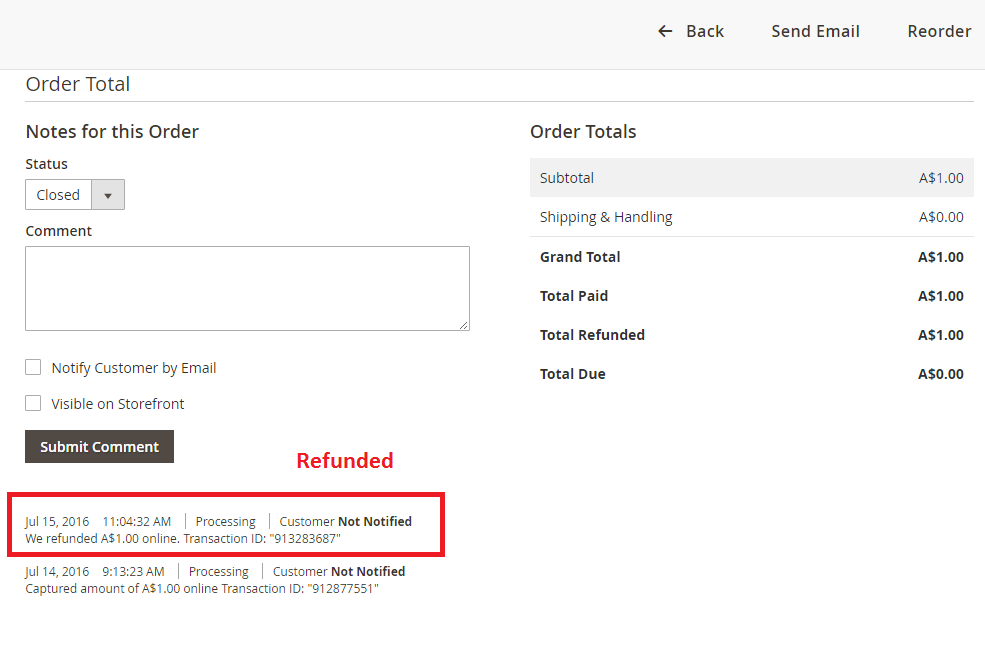
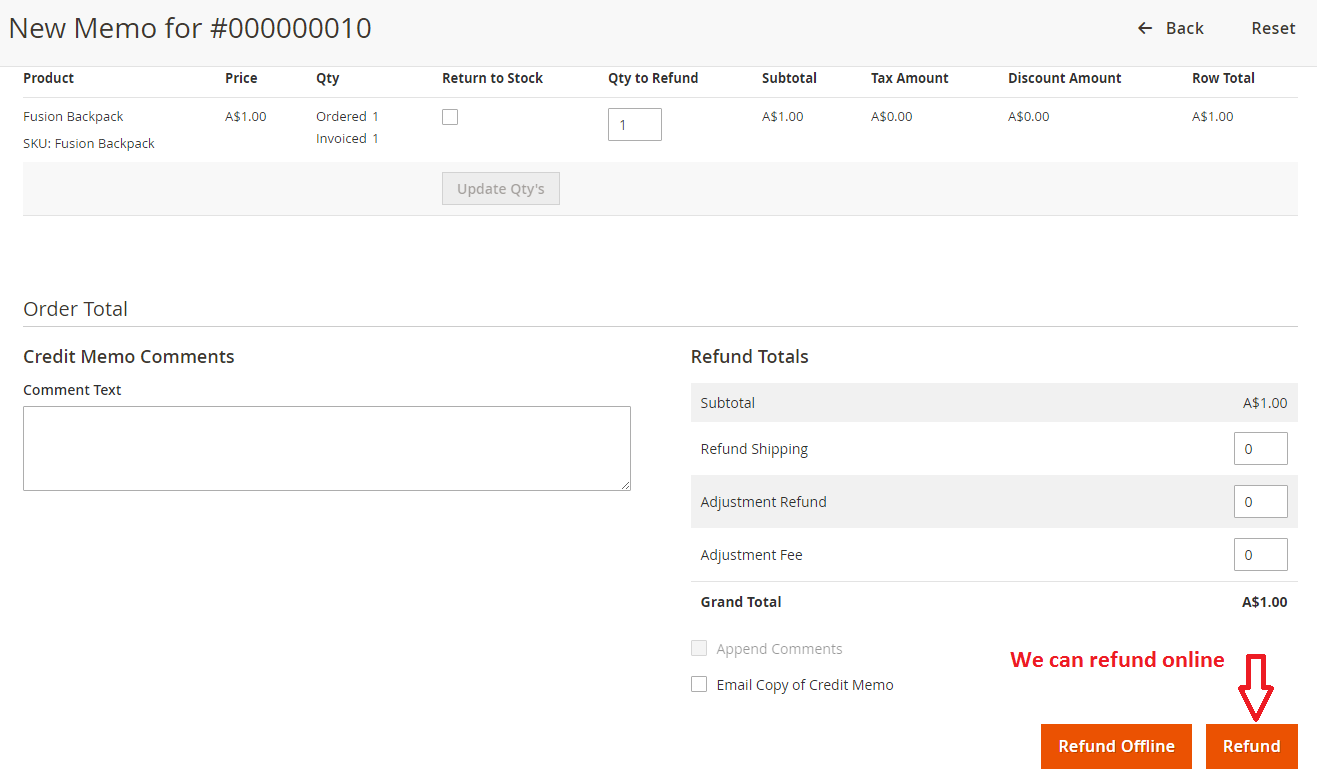
- Full Transaction Control: Perform online refunds, captures, and status updates directly within the Magento 2 Admin Panel.
- Broad Card Acceptance: Seamlessly process Visa, Mastercard, American Express, Diners Club, and JCB cards.
Westpac PayWay Payments - Magento 2
57 Sold Item(s)
Screenshots
Key Benefits
Overview
Magento 2 Westpac PayWay Payments extension allows you to use PayWay Classic API or REST API as a credit card processor, using their fully integrated API process. The extension is able to used for Westpac PayWay and StGeorge PayWay
You can process Visa and Mastercard by default, and can optionally accept American Express, Diners Club and JCB after further activation by Westpac.
The PayWay solution allows customers to process credit cards using an Application Programming Interface (API). All communications between the customer's system and API takes place securely.
It's easily set up from Magento admin panel
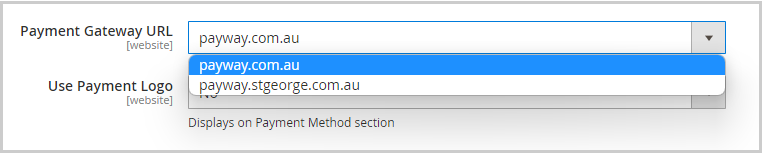
Payment Options:
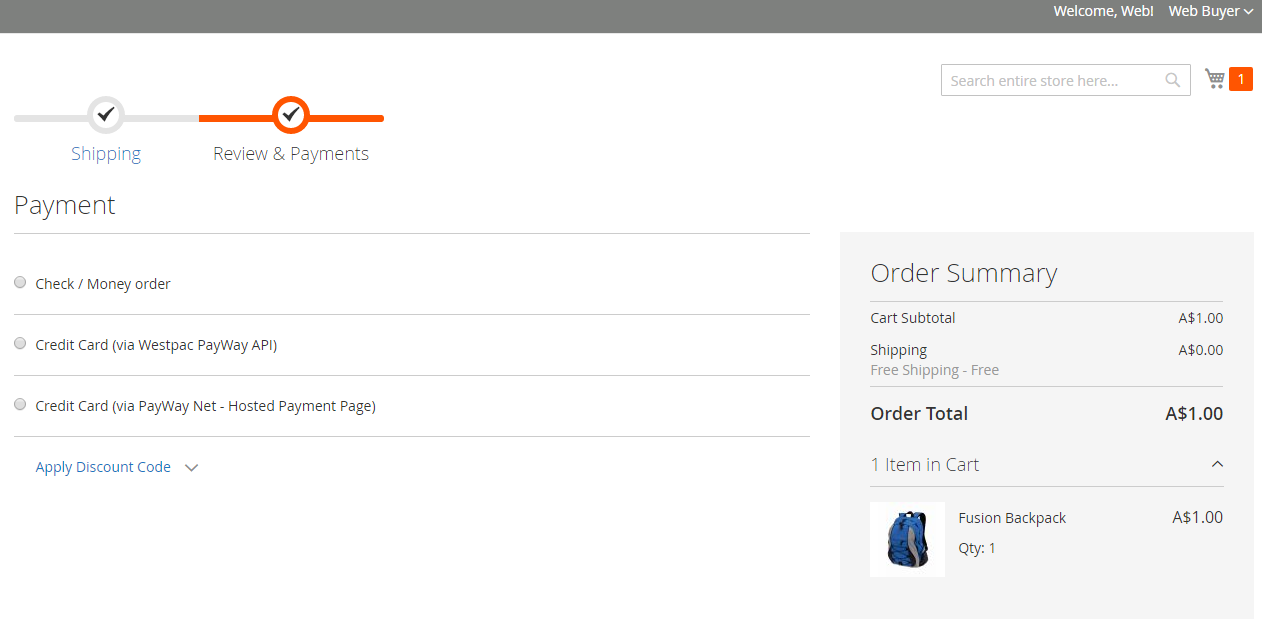
The extension integrated fully 4 payment methods, they will be shown in Magento admin panel after it's installed successfully.
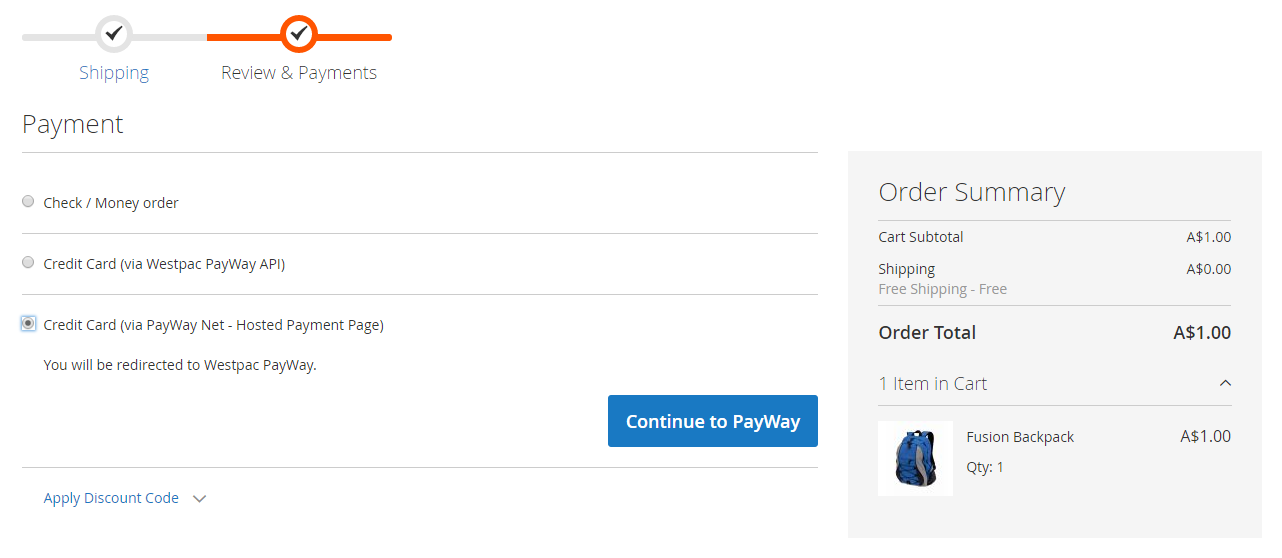
Westpac PayWay Net: Redirect Customers to the PayWay website for credit card entry, then redirect back to your confirmation page once successful.
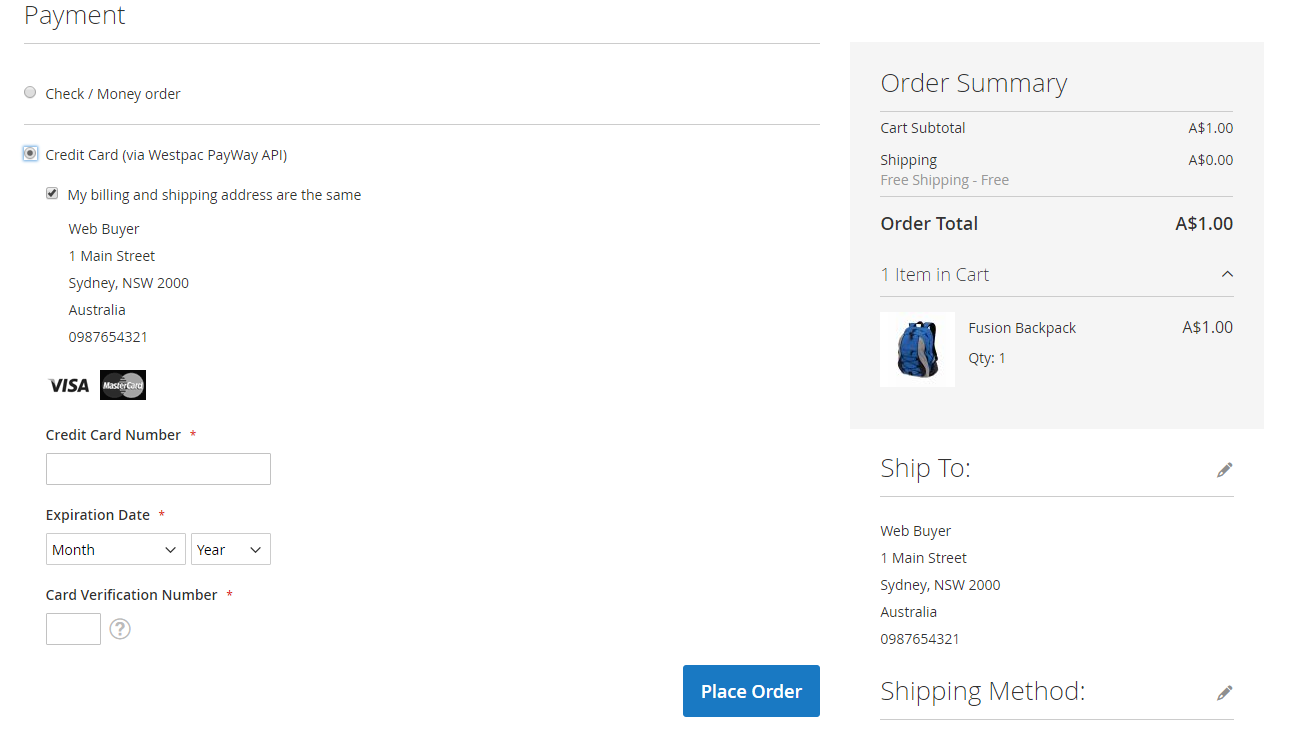
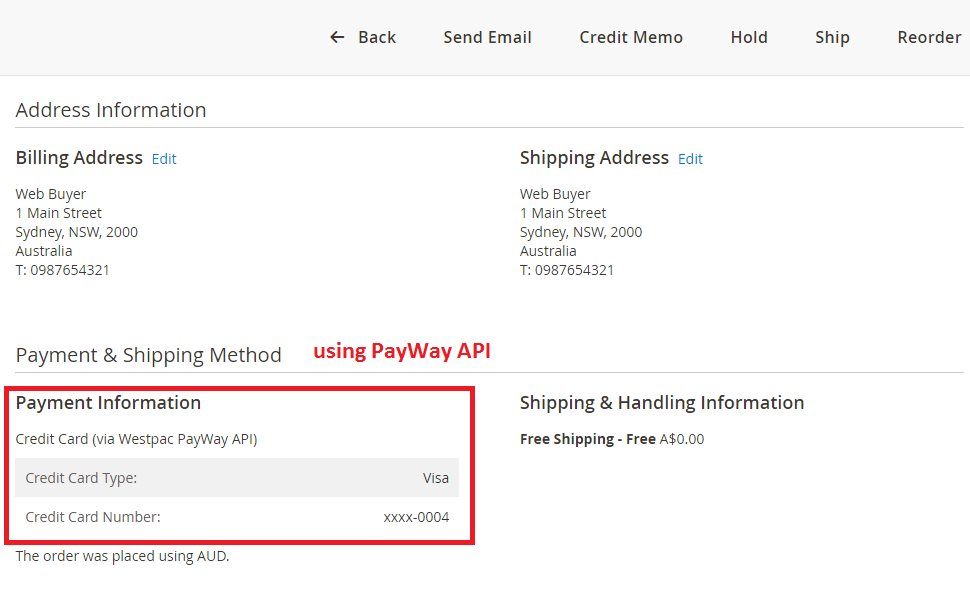
Westpac PayWay Classic API: Process payments by sending credit card details from your website.
Westpac PayWay REST API: Process payments by sending credit card details from your website
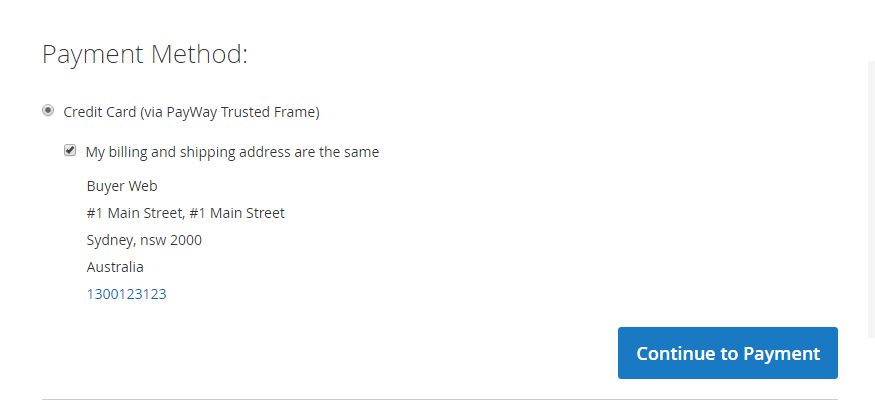
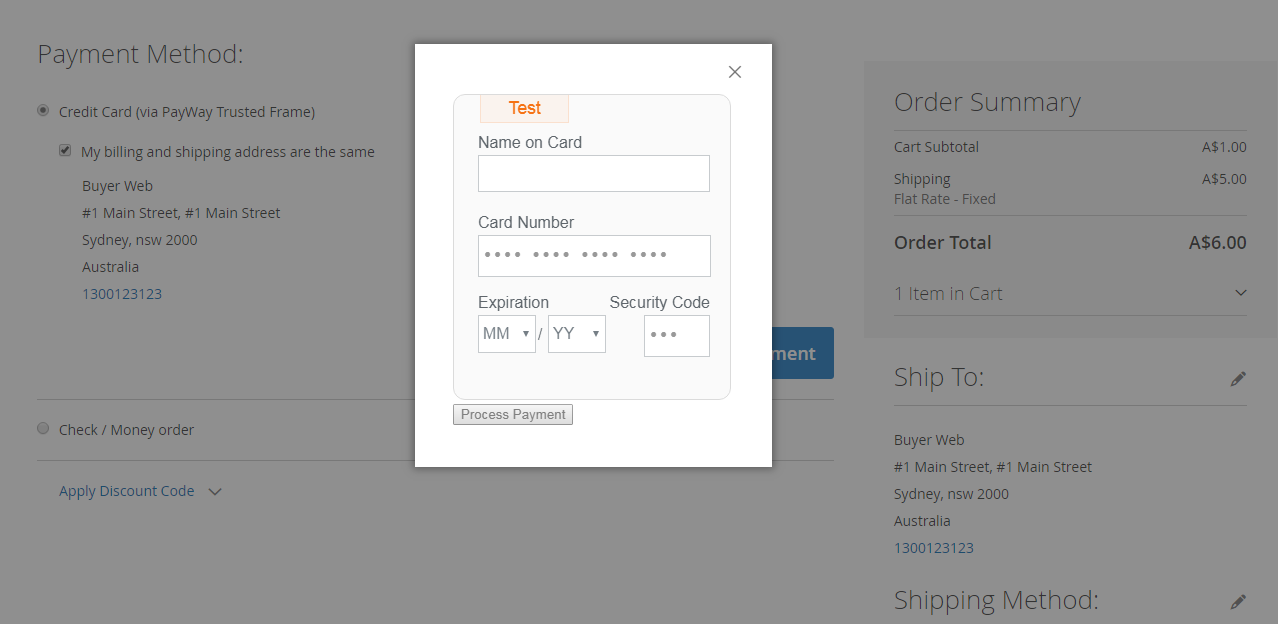
Westpac PayWay Trusted Frame: Redirect Customers to the PayWay website for credit card entry, then redirect back to your confirmation page once successful
Featues of Westpac PayWay Net
- Payment pages hosted by PayWay
- Accept credit cards and PayPal®
- Receive an email when each payment is processed
- Protect yourself with Fraud Guard and 3D secure V2
- Encrypted the payment credentials
- Capture New Sales
- Create Invoice Automatically
- Refund Offline
- Allow you to use your payment logo at checkout page
- Allow for your shopping cart details to be securely displayed on a Hosted Payment Page
- Support multiple websites
- Support multiple store views
- Unlimited domains
Features of Westpac PayWay Classic API
- Capture New Sales
- Support Authorize
- Support Capture Online
- Support Refund Online
- Support Full/Partial Refund
- Create Invoice Automatically
- Support Prefix Order Number
- Encrypted the payment credentials
- Support SSL Certificate
- Support multiple websites
- Support multiple store views
- Unlimited domains.
Features of PayWay REST API
- Capture New Sales
- Support Authorize
- Support Capture Online
- Support Refund Online
- Support Full/Partial Refund
- Create Invoice Automatically
- Encrypted the payment credentials
- Support SSL Certificate
- Support multiple websites
- Support multiple store views
- Unlimited domains
Features of PayWay Trusted Frame
- Embed PayWay trusted frame into your payment page
- Accept credit cards
- Receive a real-time response back to your server
- Protect yourself with Fraud Guard
- Encrypted the payment credentials
- Capture New Sales
- Create Invoice Automatically
- Refund Offline
- Support multiple websites
- Support multiple store views
- Unlimited domains
Customers
Many websites use our PayWay extension, but due to policy, we only listed a few:
- beewise.com.au
- forgehardware.com.au
- rvpartsexpress.com.au
- tigerpak.com.au
- printedclothing.com.au
- zenpromotional.net.au
- adaptify.com.au
- outdoorcameras.com.au
- controllogic.com.au
- magnifydigital.com.au
- intesols.com.au
- mydiamonds.com.au
- etc
Installation
Extract the file into app/code/PL/Payway/
From a terminal, run the following commands:
php bin/magento setup:upgrade
php bin/magento setup:static-content:deploy -f
php bin/magento cache:clean
Example

Setup PayWay Classic Credit Card API
Log in to PayWay.
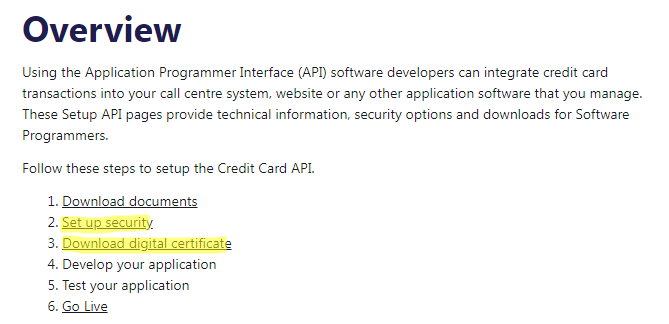
Go to Settings -> PayWay Classic API -> Setup Security. This page will provide you with the username and password to enter into the extension configuration.
- Add the IP address for your server to the access list

Go to Settings -> PayWay Classic API -> Download Digital Certificate.
Set "Choose your API Technology" to "PHP" and click "Go".
Click "Download PHP Certificate" to download ccapi.pem file.
Upload this ccapi.pem file from Magento admin panel.

Setup PayWay Net Hosted Payment Page
Log in to PayWay.
Go to Settings -> PayWay Net -> Setup Hosted Payment Page
Choose "Bill Payments/Shopping Cart - secure shopping cart handoff" then click on the Next buttons, You will get a Biller Code, Username, Password and Encryption Key.
On the Security Information page, you need to whitelist your Server IP

Test Environment
In case you need to see the demo of Westpac PayWay API & PayWay Net - Magento 2 extension, please feel free to contact us or sales@polacin.com
Test Credit Card Numbers
Visa: 4564710000000004 - Expiry: 02/29 - CVN: 847
Master: 5163200000000008 - Expiry: 08/30 - CVN: 070
Amex: 376000000000006 - Expiry: 06/30 - CVN: 2349
Diners: 36430000000007 - Expiry: 06/22 - CVN: 348
Release Notes
Version 2.1.5
Released on August 6, 2024
- Fixed PayWay Net issues on Magento 2.4.7, php 8.2
Version 2.1.4
Released on July 30, 2024
- Stability improvements
- Fixed small bugs
Version 2.1.3
Released on February 14, 2023
- Fixed Deprecated Functionality on PHP 8
Version 2.1.2
Released on October 18, 2022
- Fixed "Invalid parameters signature" issue for PayWay Net
Version 2.1.1
Released on July 13, 2022
- Fixed the Content Security Policy issue
- Added notification when the new version is available
Version 2.1.0
Released on April 20, 2022
- Compatible with PHP 7.4.x and PHP 8
Version 2.0.10
Released on December 14, 2020
- Fixed issue on php 7.4 and Magento 2.4 for Westpac PayWay Net
Version 2.0.9
Released on June 25, 2020
- Fixed issues on Magento 2.3.4 or later version for Westpac PayWay Net and Westpac PayWay Trusted Frame
Version 2.0.8
Released on September 13, 2019
- Fixed bugs and Stability improvements
Version 2.0.7
Released on July 18, 2019
- Fixed issues on PHP version 7.1 or later for Westpac PayWay Net.
Version 2.0.6
Released on January 9, 2018
- Fixed bugs for Westpac PayWay REST API
Version 2.0.5
Released on July 26, 2018
- Fixed bugs for Westpac PayWay Trusted Frame
- Show the billing address on the checkout page.
- Stability improvements
Version 2.0.4
Released on May 29, 2018
- Added Westpac PayWay REST API
- Changed the module name to Payway
Version 2.0.3
Released on January 22, 2018
- Added Westpac PayWay Trusted Frame (using REST API)
Version 2.0.2
Released on April 29, 2017
- PayWay Net bug fixes and stability improvements
Version 2.0.1
Released on July 15, 2016
FAQs
What happens if a transaction fails?
Failed transactions return detailed error messages from PayWay. You can view the status in the Magento backend and contact customers or retry payments as needed.
Is the payment processing secure?
Yes. All communications between your Magento store and PayWay API are encrypted. For PayWay Net, additional security features such as Fraud Guard and 3D Secure V2 are supported to provide enhanced protection. Other API methods (Classic API, REST API, Trusted Frame) securely process payments without storing card details, but 3D Secure V2 is only available through PayWay Net.
Is support provided for installation and troubleshooting?
Yes. The support team can help with installation, setup, configuration, and troubleshooting to ensure smooth integration with your Magento 2 store.
Can I test the extension before going live?
Yes. You can use the provided test credit card numbers and enable the test mode to simulate transactions without affecting real accounts. Additionally, PayWay provides a test merchant account that allows you to fully test all payment methods before going live with real transactions.
Can I get a refund if the extension does not work?
Yes. If the extension does not work with your website and we are unable to resolve the issue, you are eligible for a refund. To debug the problem, we will require temporary access to your server so our team can check and fix errors directly on your website.
Customer Reviews

-
Great Functionality and Features
With multiple payment options like PayWay Net, Classic API, REST API, and Trusted Frame, this extension covers all my business needs. Refunds, order capture, and invoices work perfectly.Review by Matthew Johnson (Posted on 4/14/2026) -
Smooth Integration and Reliable
The Westpac PayWay extension integrated perfectly into my Magento 2 store. Payments process seamlessly with all major cards, and the API options make it very flexible. Highly reliable.Review by Daniel Robertson (Posted on 6/10/2025) -
Excellent Customer Support
I had a small issue during setup, but the support team resolved it quickly. Their guidance was clear and professional. The extension works flawlessly now.Review by Emily Thompson (Posted on 5/23/2024) -
West pac Not redirecting issue --- Cleared
The issue is cleared by Linh. He analyzed the issue very quickly and resolve. Very Fast response. Very knowledgeable support.Review by Paul Kovac (Posted on 10/21/2022) -
Perfect solution
Had some trouble getting the extension to work. Contacted customer support and Linh was helpful and we were able to track down the problem. It's now working like a charm. This extension is a perfect solution.Review by George Bell (Posted on 10/21/2022) -
Great product
Fit for purpose and great support. Your response is very quick.
Thanks, AnthonyReview by Anthony Tran (Posted on 1/8/2020) -
Great Support
We purchased this extension and received enthusiastic support.
Thank you for your help, that worked perfectly!
Great and Quick Support.
Review by Shahnawaz (Posted on 9/10/2019) -
good extension
It is good extension with 4 options for my Westpac Payway integration. Linh (Polacin Support) helped me to install the extension on my site. ThanksReview by Monica Li (Posted on 1/4/2019) -
Work like a charm
I am excited to use Polacin's Westpac PayWay plugin. This is reason for moving Magento 1 to Magento 2 site. Thank you for your installation service. The plugin is working like a charm.
I would highly recommend this plugin.Review by Chris Lewis (Posted on 12/21/2018) -
Great solution
Great, Thanks for your help. It looks like it's worked fine with a real CCReview by Tyson (Posted on 8/15/2018)
