
Bambora Payment API - Magento 2
Screenshots


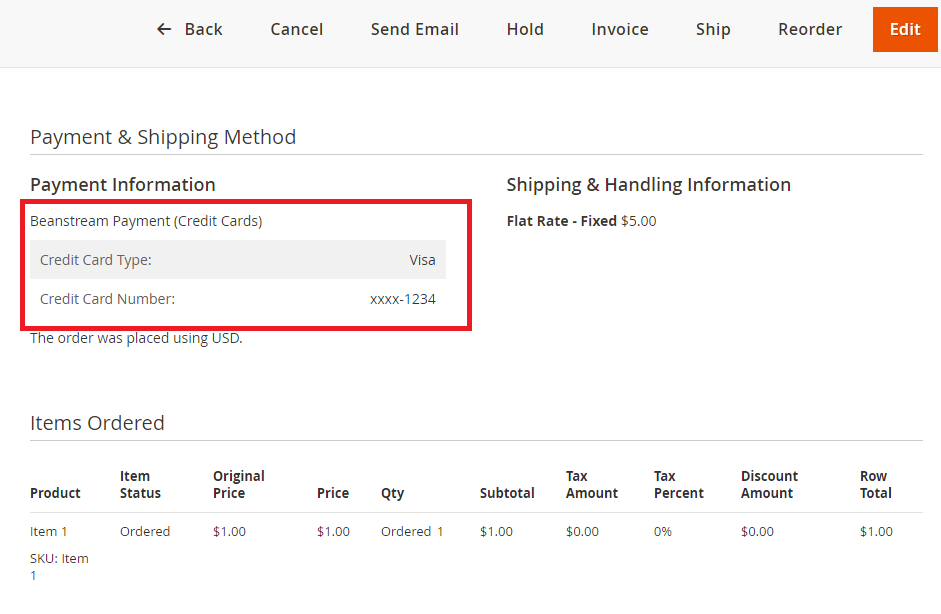
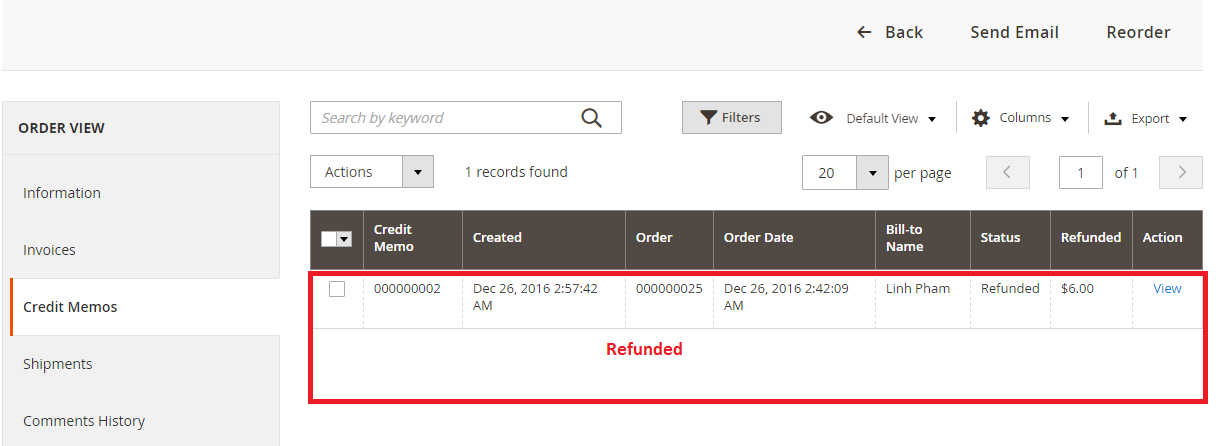

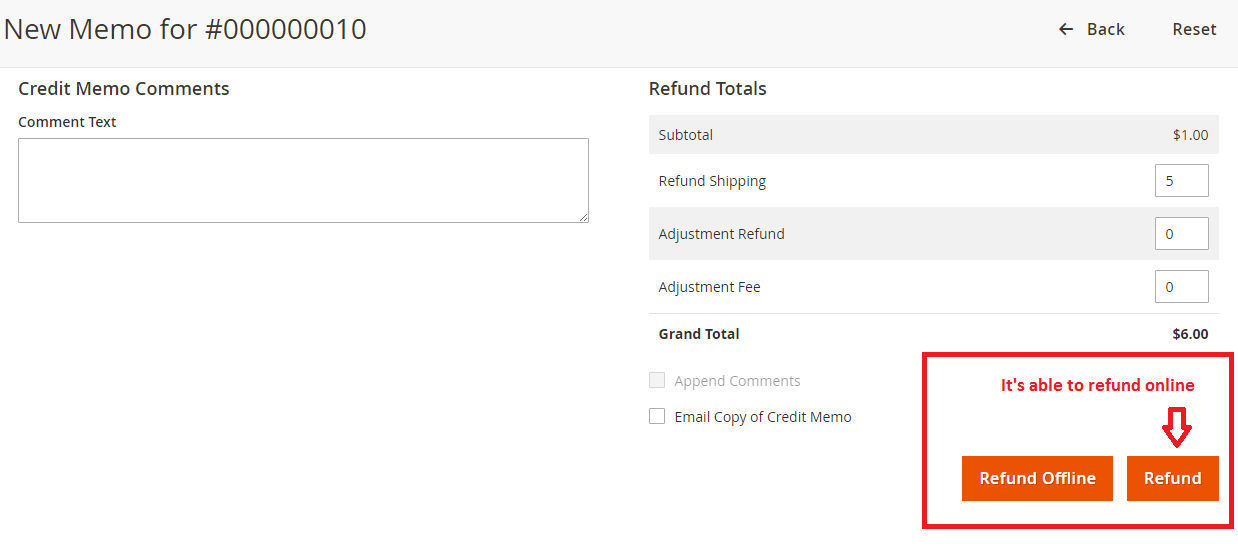
Key Benefits
Overview
Bambora Payment APIs - Magento 2 extension allows you to take credit card payments through Bambora Payment Gateway directly on your Magento website.
It supports Canadian and US dollar, GBP and Euro transactions for the most popular credit cards - including Visa, MasterCard, American Express, Diners, Discover, etc.
Find out more information at https://www.bambora.com
If your merchant is a non-PCI compliant merchant. We'd recommend you use Bambora Custom Checkout - Magento 2
Features
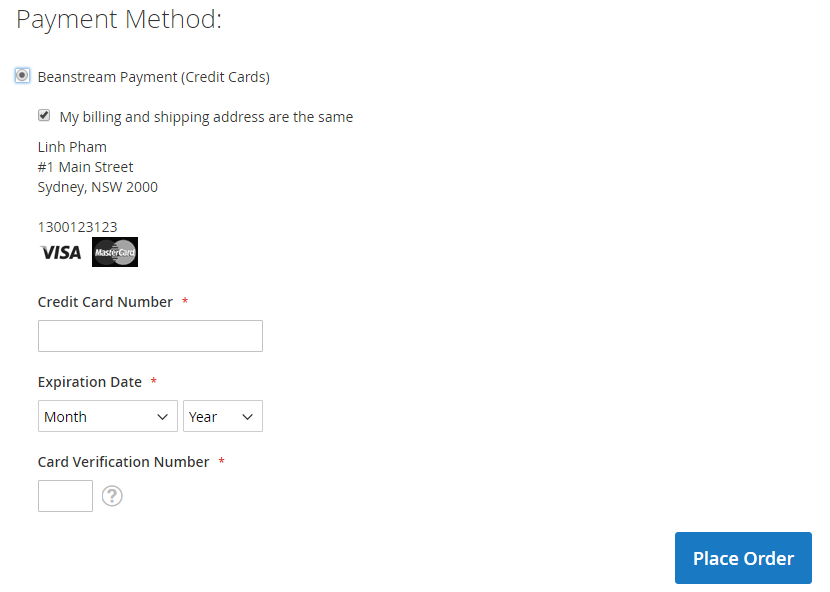
It allows your customer to purchase directly from your site using Credit Cards.
Accepts all Major Credit Cards / Debit Cards – Visa, MasterCard, American Express, Discover, etc.
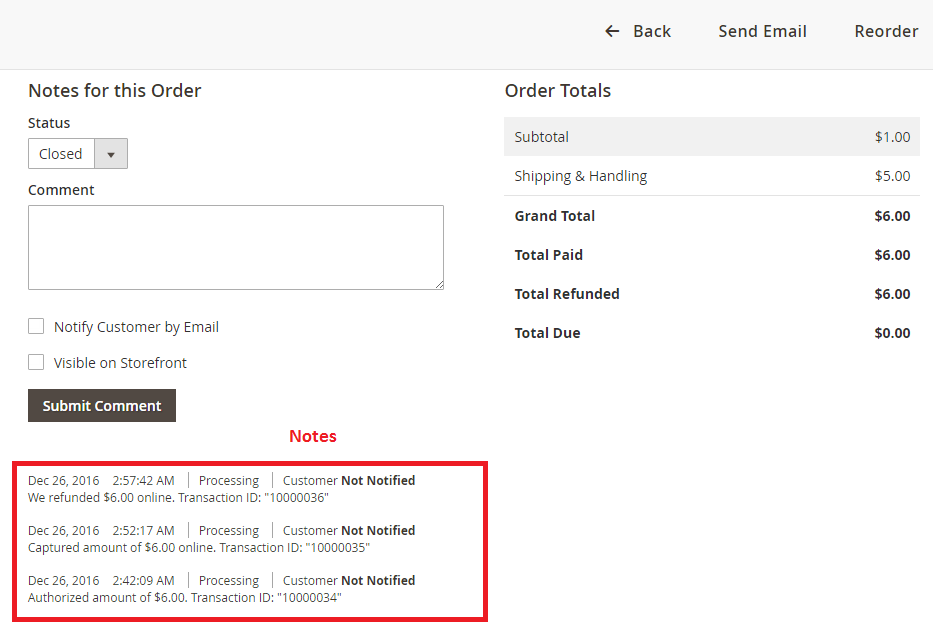
Authorize support.
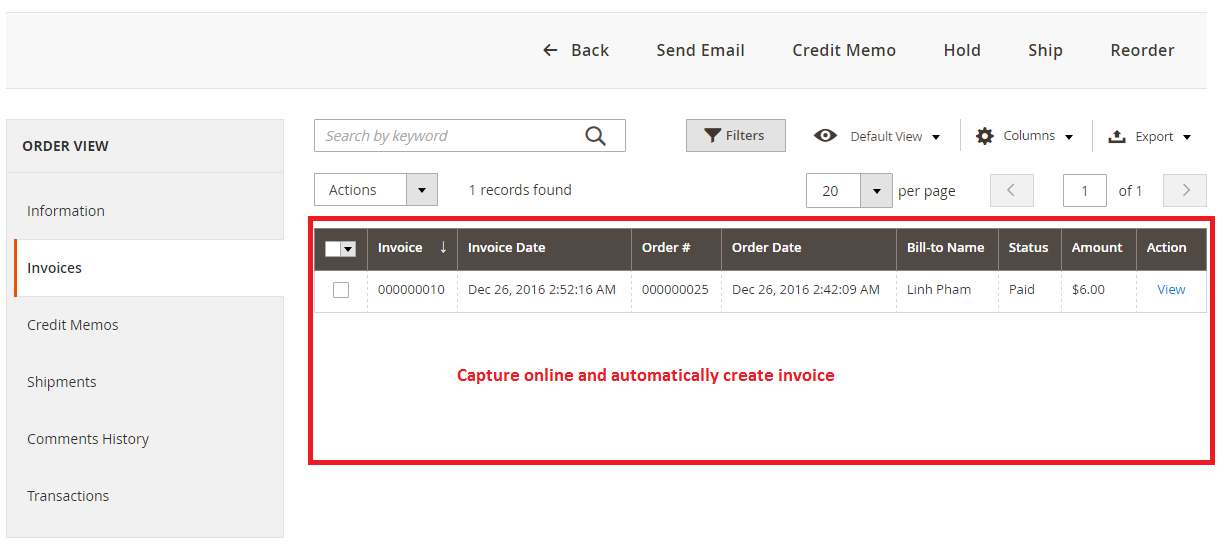
Capture Online support
Refund Online support
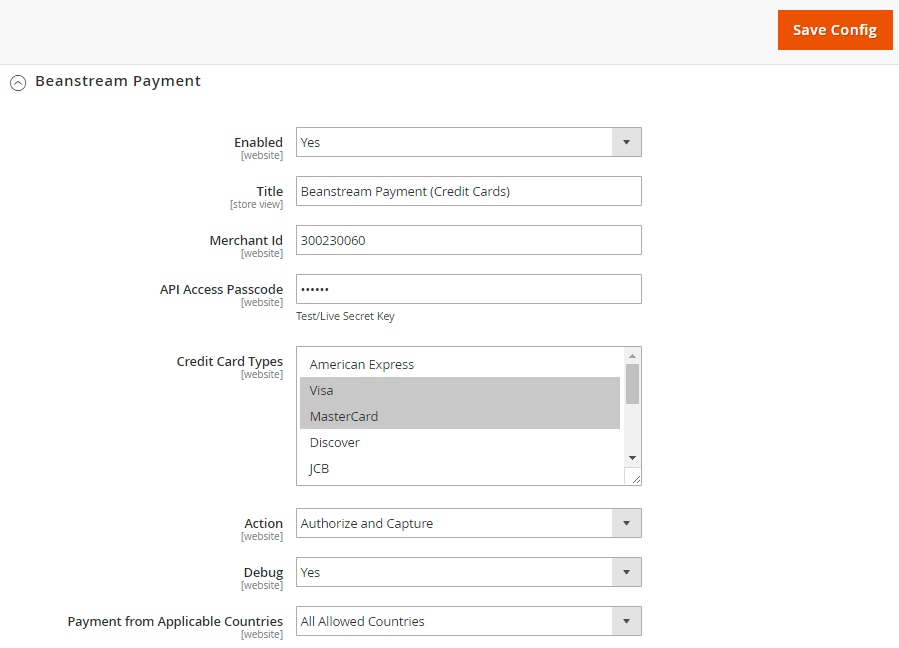
Configure easily in Magento backend
Test and Live Options
Multi-stores support
Currency Support
Canadian and US dollar, GBP and Euro
Installation
Extract the file into app/code/PL/Beanstream/
From a terminal, run the following commands:
composer require beanstream/beanstream:dev-master
php bin/magento setup:upgrade
php bin/magento setup:static-content:deploy
php bin/magento cache:clean
Example


Bambora Settings

Payment Configurations from Magento 2 Backend

Test Environment
In case you need to see the demo of Beanstream Payment extension, please feel free to contact us or sales@polacin.com
USING THE TEST CARD NUMBERS
If you are still in the integration phase, you can use the following credit card numbers for testing. These card numbers will not work after your account is live.
Notes: Select any expiry date in the future to use with these test card numbers.
All cards (except Canada Post—see table) use the same street address and postal code for triggering an approved AVS response: 1407 Graymalkin Lane, 111 111
Some test environments use a Canada Post search. We provide one card of each type with a real address. Tests using these cards return an Approved message. If a card is used with a fictional address, the test returns as Declined.
VISA : 4030000010001234 - CVD: 123
VISA : 4504481742333 - CVD: 123 - (Approved for transactions less than $100, Declined for transactions higher than $100)
MASTERCARD: 5100000010001004 - CVD: 12345
AMEX: 371100001000131 - CVD: 1234
DISCOVER: 6011500080009080 - CVD: 123
Release Notes
Version 2.0.2
Stable version, released on May 3, 2018.
- Added Billing address optional
- Added Card owner name optional
- Stability improvements
Version 2.0.1
Stable version, released on December 26, 2016.
Customer Reviews
-
Good extension
Works well, great customer support.Review by Len (Posted on 8/18/2017) -
Good service good plugin
Really good service. And very usefully plugin. It's working well on my site. Thank you for helping me to install the plugin.Review by Joey Seminara (Posted on 2/28/2017)
Related Products
-

Bambora Custom Checkout - Magento 2
Free Download -
 Free Download
 -

NMI 3D Secure Payment Gateway - Magento 2
Free Download -

Stripe (3D-Secure) Payment - Magento 2
Free Download
